Ticket Box
Client for Trakt

Follow Ticket Box development or contact support:
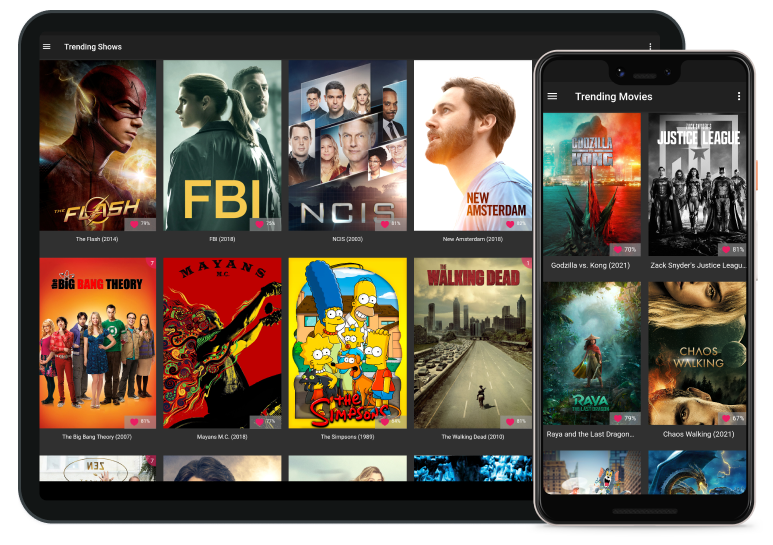
Some of the features
Mark as watched
Mark episodes and movies as watched, or check in as you go.
Watch now
See where each show and movie streams in your country, powered by JustWatch.
Watch history
Check everything you have already watched.
Hide what you skip
Hide the shows you are not interested in.
Trending
Check trending movies and shows.
Full details
Full details for every movie and show.
Multiple ratings
Ratings from TMDB, Trakt and IMDb, side by side.
Statistics
Detailed statistics about your profile.
Who is Ticket Box for?
Quickly check or mark as watched upcoming episodes
If you need to mark an episode as watched or check in, but you find that opening a full website for this is a bit of a slow process, then you are in luck, because this is the number one feature that Ticket Box tries to differentiate itself with from the competition. You should try it for yourself.
No background tasks
By default, Ticket Box has no background tasks, and this is very important because we value your phone and its battery consumption. All the features of Ticket Box work without the app needing background tasks, except for a few very specific ones. When those are activated, you are shown a screen that explains how much impact the app will have and asks whether you really want that feature turned on.
Statistics
While this section is not yet fully completed, Ticket Box already provides very detailed statistics.
Hide stuff you are not interested in
While Trakt also has this feature, it is a bit hard to use in our opinion, which is why we tried to redesign it. You get a quick list of which shows are hidden from the Up next to watch section, and it is very easy to add more shows or remove them from the hidden list.
Try Ticket Box for free
All you need is a Trakt account. Ticket Box has the core and most important features free, with no ads, while it offers some other features for the price of a coffee, just to keep the development alive.
View on Google PlayShowcase
Up Next To Watch
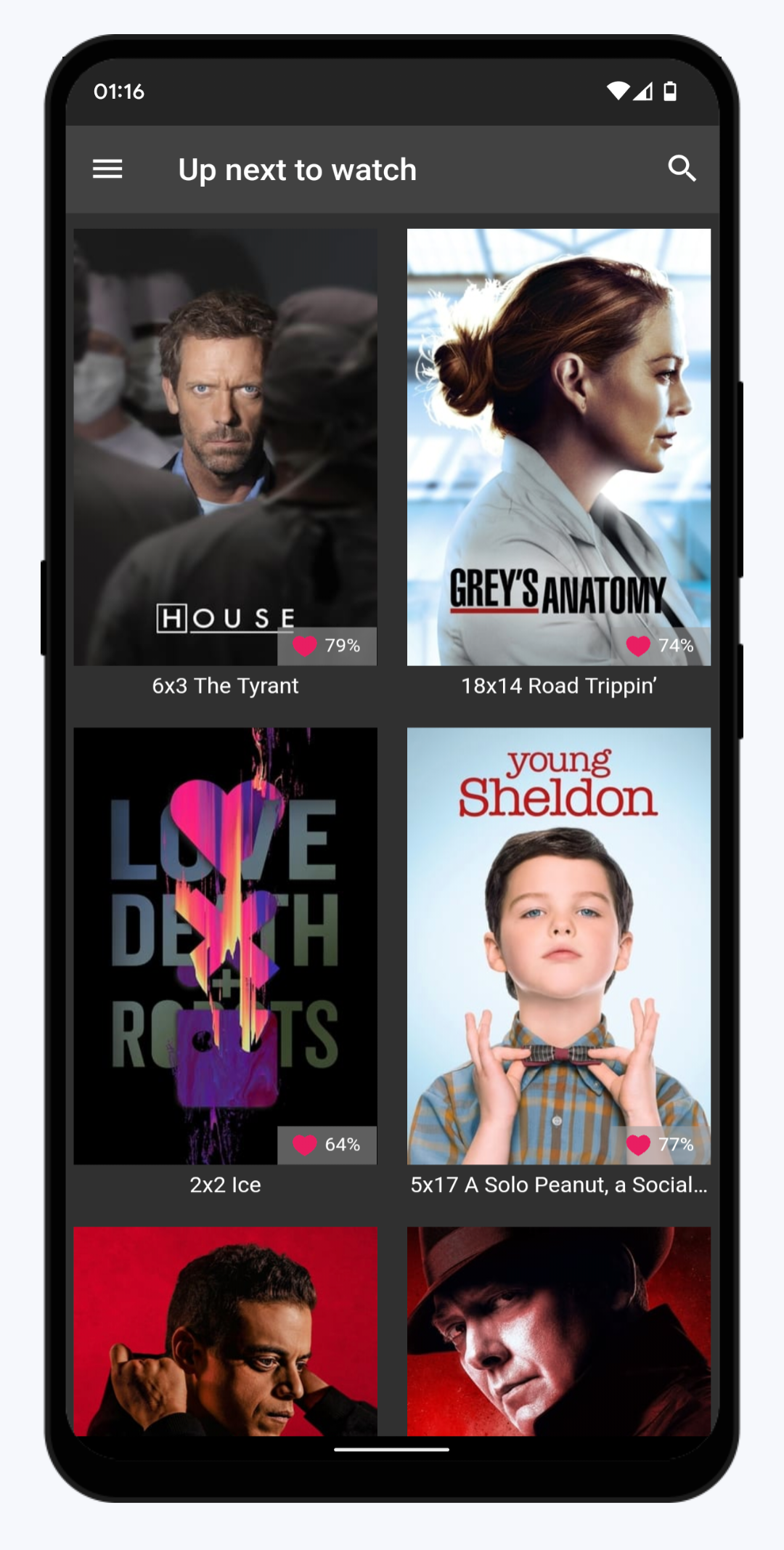
Open Ticket Box and you immediately know what to watch next. The home screen is a poster grid with exactly one card per show you are following: the next unwatched episode, labelled just the way you would say it — S2xE10 Reconstruction.
Rating, premiere and finale pills add context at a glance. Long-press a card to mark the episode as watched or check in on the spot, and sort or filter the grid however you like.
Show Progress
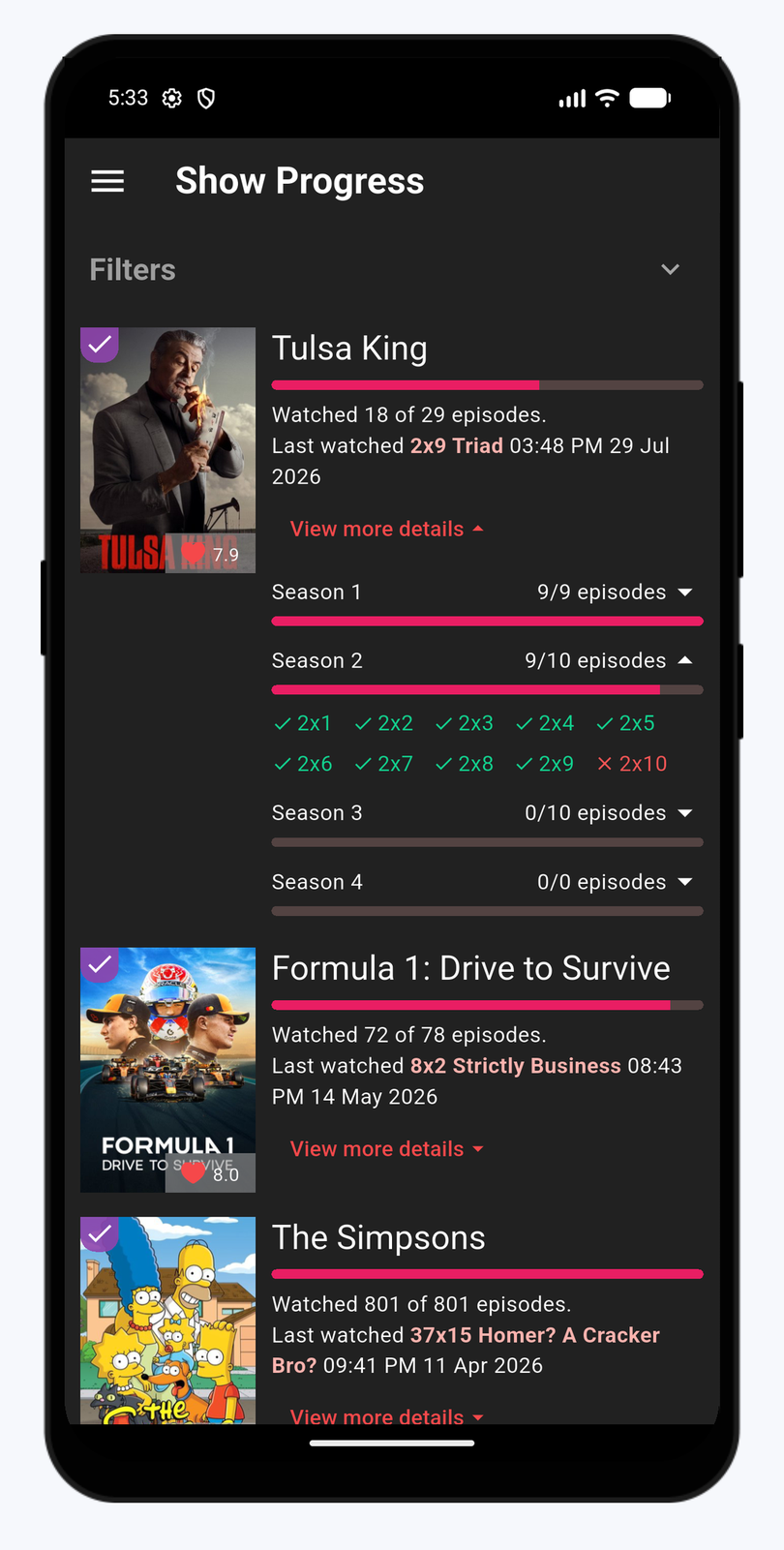
One list with every show you track: poster, progress bar, watched X of Y episodes, and when you last watched it.
Tap a show to expand per-season progress bars, then drill all the way down to per-episode chips — a green check for watched, a red cross for not yet. Filters and a hide-completed switch keep the list short and relevant.
Show Details
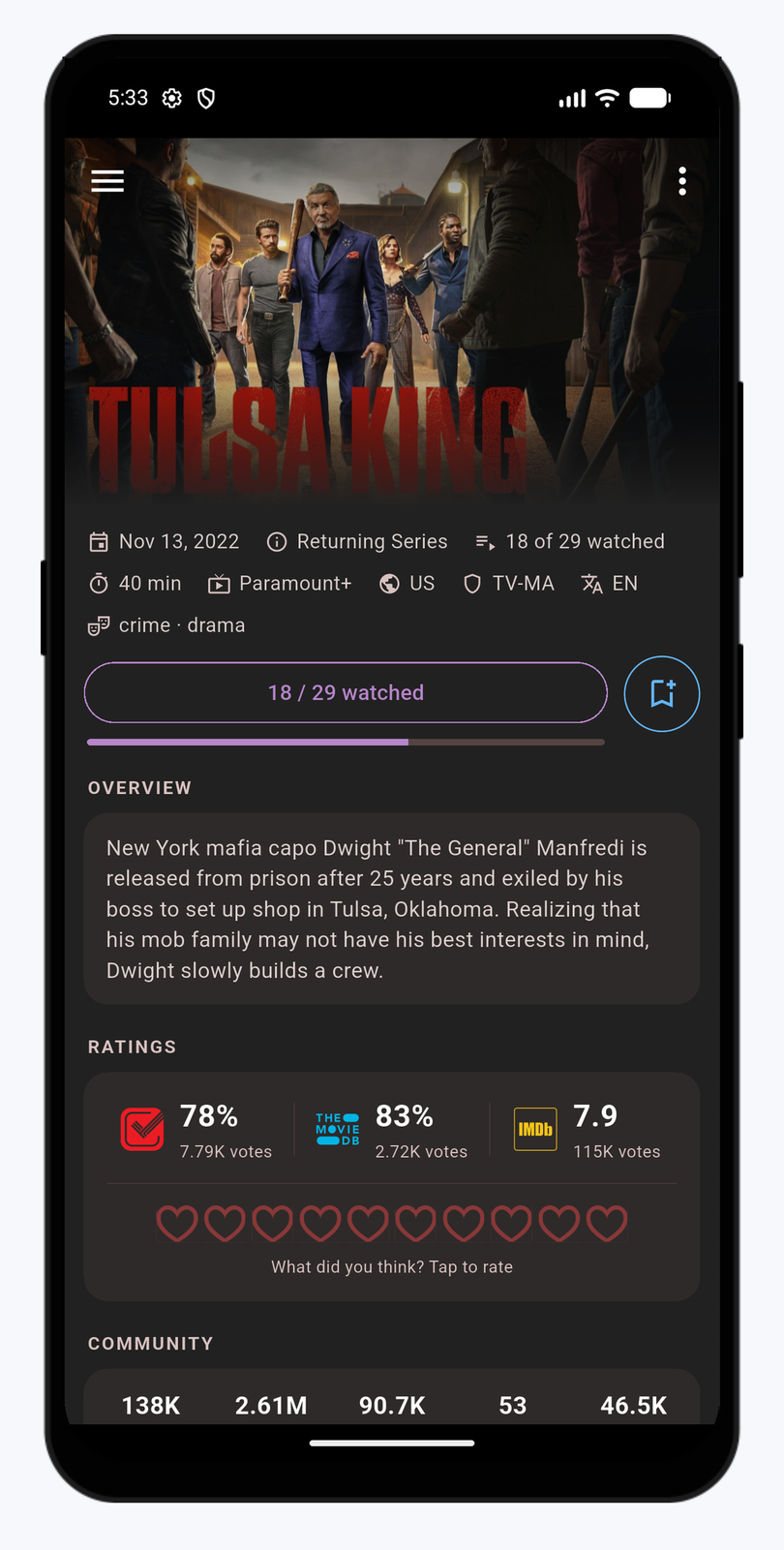
Everything about a show on a single screen, under a collapsing backdrop: first aired, status, network, certification, genres, and how many of the aired episodes you have watched.
- Trakt, TMDB and IMDb ratings, plus your own 1–10 heart rating
- Mark-as-watched button that doubles as a progress readout
- Seasons grid that drills into every season and episode
- Cast with regulars and guest stars
- Your watch history and similar shows
Movie Details
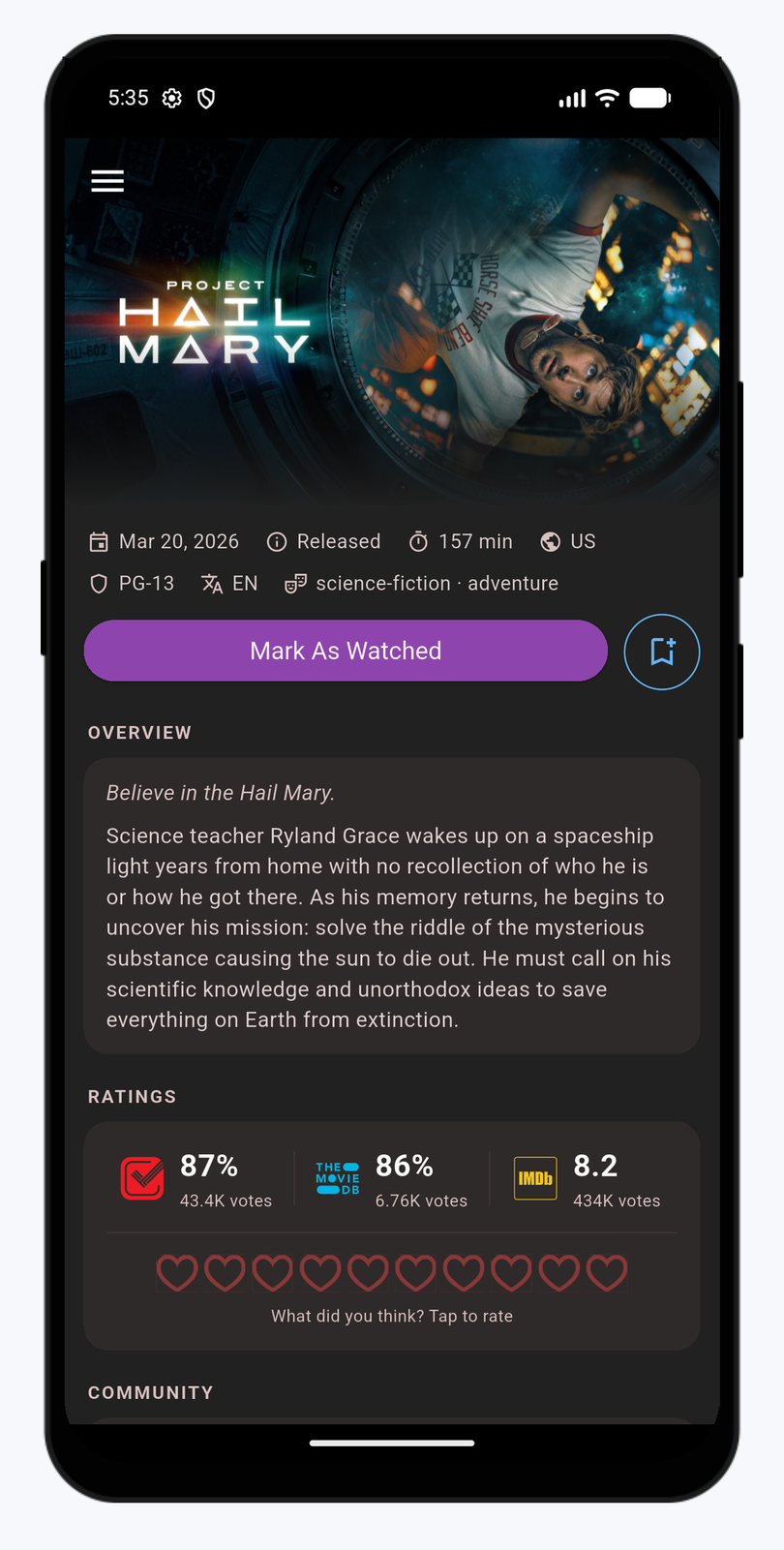
Movies speak the same language: a hero banner, the key facts, and one-tap actions to mark as watched or add to your watchlist.
Compare Trakt, TMDB and IMDb ratings side by side, check community stats, browse the cast, revisit every single play in your watch history, and pick your next film from the similar movies row.
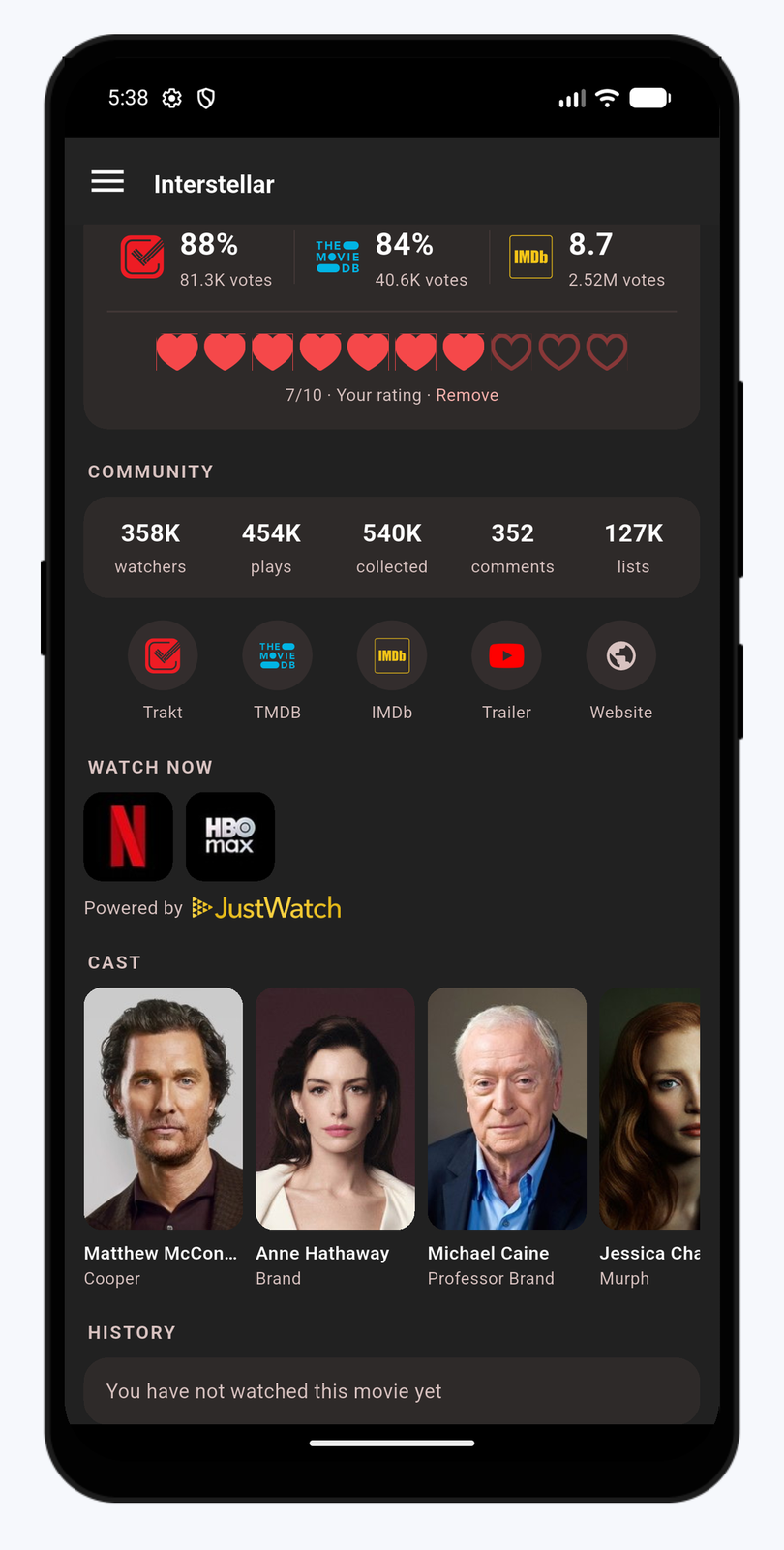
Watch Now
No more hunting through apps. Show and movie pages include a row of streaming service logos, filtered to the subscription offers available in your country.
Availability data comes from JustWatch through TMDB, with the “Powered by JustWatch” attribution shown right where the logos are.
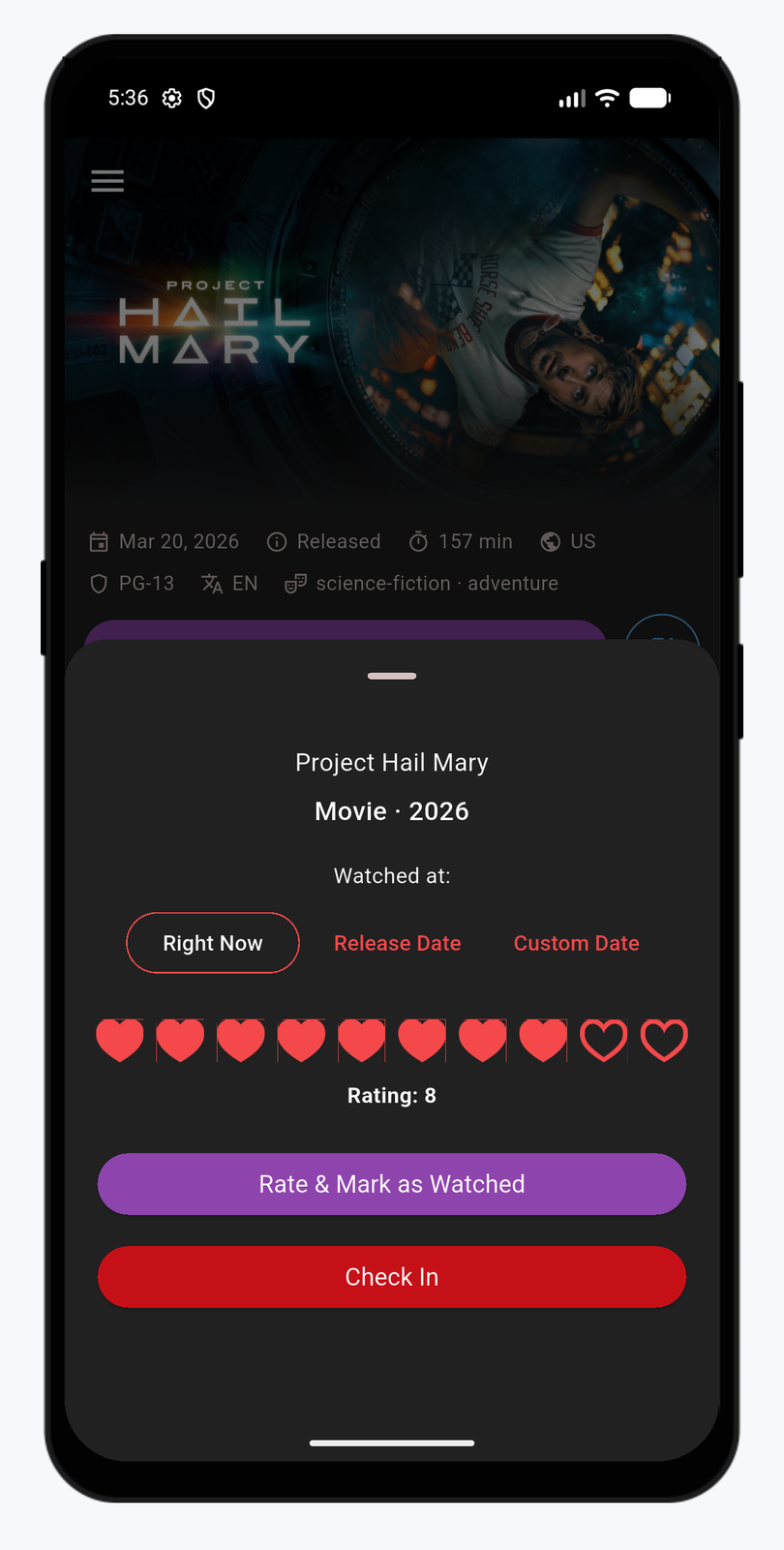
Check In & Mark As Watched
Checking in tells Trakt you are watching something right now. A live banner with a progress percentage follows you around the app for as long as the episode or movie runs.
Watched it earlier? The mark-as-watched sheet lets you log it as of right now, the release date, or any custom date — and add an optional 1–10 heart rating while you are there.

About the programmer
This app was designed with in Romania by Mihai, and released under the "development hub" name Mad Code Studios.
The app is maintained in Mihai's free time. It was developed initially by him, for him, but more and more people started using it and requesting features. Mihai liked the ideas, and now we have Ticket Box as we all know it today.